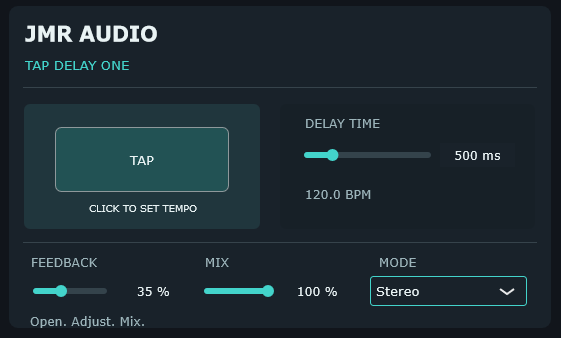
Actual JMR Audio plugin interface
Features
- Tap-tempo button and BPM readout
- Adjustable delay time
- Feedback and Mix
- Stereo mode
Tap Delay One
Set the tempo. Shape the repeats.
Tap-tempo delay with adjustable delay time, feedback, mix and stereo mode, including a BPM readout.
Windows VST3 · 14-day trial in the plugin. Activate offline using your .jmrlic license file. Access purchased licenses through My Account.
Time-based repeats, set by feel
What it does
Tap Delay One includes a tap-tempo button, BPM display, adjustable Delay Time, Feedback, Mix and Stereo mode. The controls cover the core tasks of placing repeats rhythmically and setting how prominent they are.
In practice
Tap along with the song or set the timing directly, then use Feedback to determine how many repeats remain audible. Lower Mix values can add depth to a source, while more obvious settings can make the delay part of the arrangement.
Questions about this plugin? Email Jonas directly.